2024 Nimo
Nimo Analytics Dashboard: Tracking Employee Growth
Summary
I designed Nimo's analytics dashboard from the ground up, creating the platform's first reporting capability for skills assessment data. By organizing information into overview metrics and skills heatmaps, admins could quickly identify training gaps and track performance across skills competencies.
Focus: Dashboard Design, Information Architecture, Data Visualization
About the product
Nimo helps people practice professional conversations with AI. A customer service rep can practice handling an angry customer. A manager can practice giving difficult feedback.
After each conversation, Nimo analyzes performance across skills like Communication, Empathy, Problem-Solving, and Cultural Sensitivity, providing specific feedback and coaching.
Design Challenge
Design the first analytics dashboard from scratch, organizing complex skills assessment data for organization admins.
Solution
I designed a two-view dashboard system: an Overview for aggregate insights and a Skills Heatmap for detailed performance tracking.
"How might we make complex skills assessment data scannable and actionable for organization admins who need to track team performance and identify training gaps?"
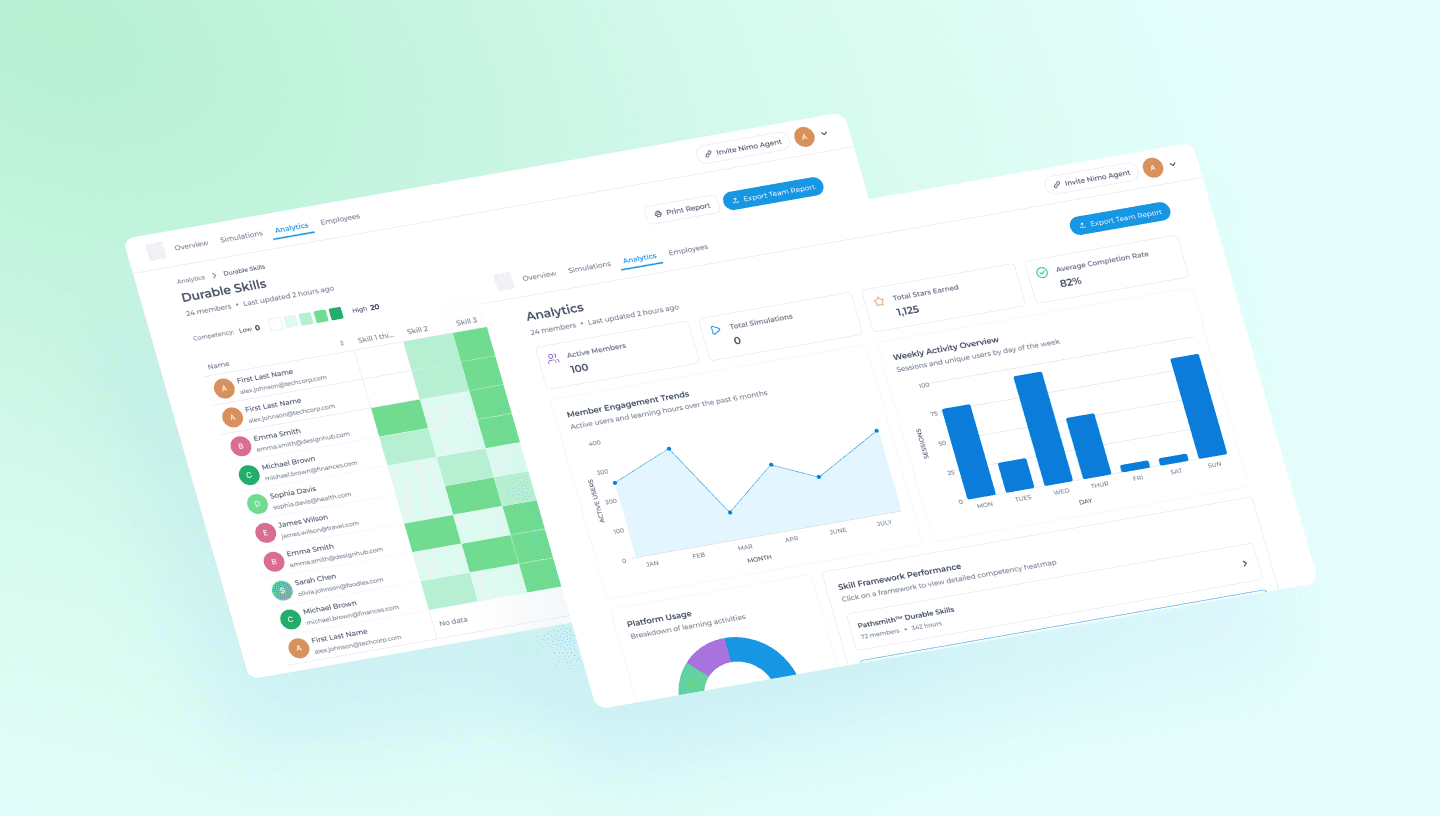
Cross-Collaboration Across the Team
I was the sole designer who owned Nimo's analytics dashboard from concept to launch. While I led the design work independently, I collaborated closely with several key members:
Founder
To define what metrics mattered most for organization admins and understand the strategic goals for analytics.
AI Engineers
To understand technical constraints around data availability and visualization performance.
Product Team
To communicate the whole scope of the project and its requirements.
Understanding goals and ideation
I started by working with the founder and engineering team to understand what was feasible and what mattered most.
From there, I sketched out the dashboard structure.
Quick Insights - High-level metrics for quick health checks
Charts and Analytics - Deep-dive into engagement and breakdowns
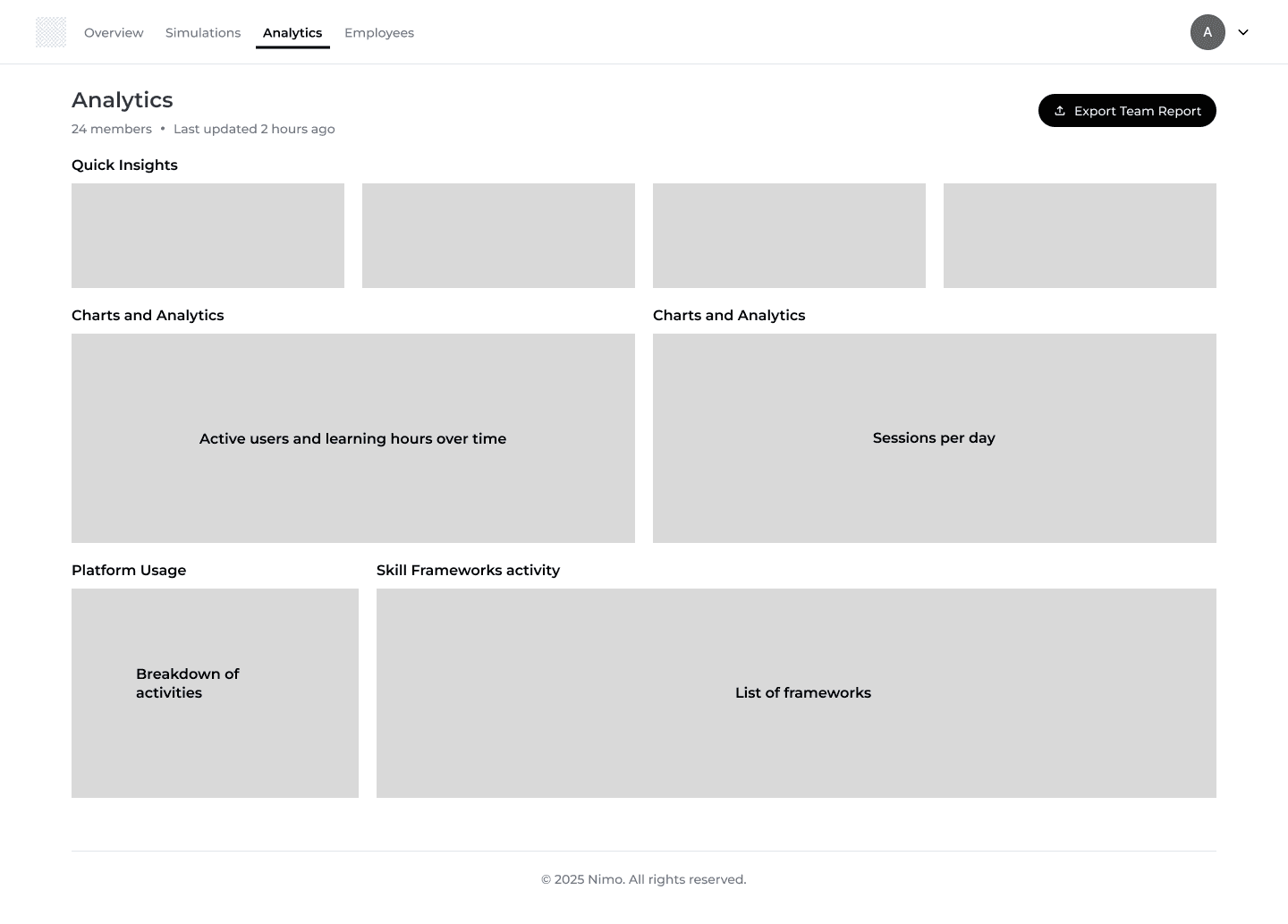
An example of a quick low-fidelity wireframe
View 1: Analytics Dashboard
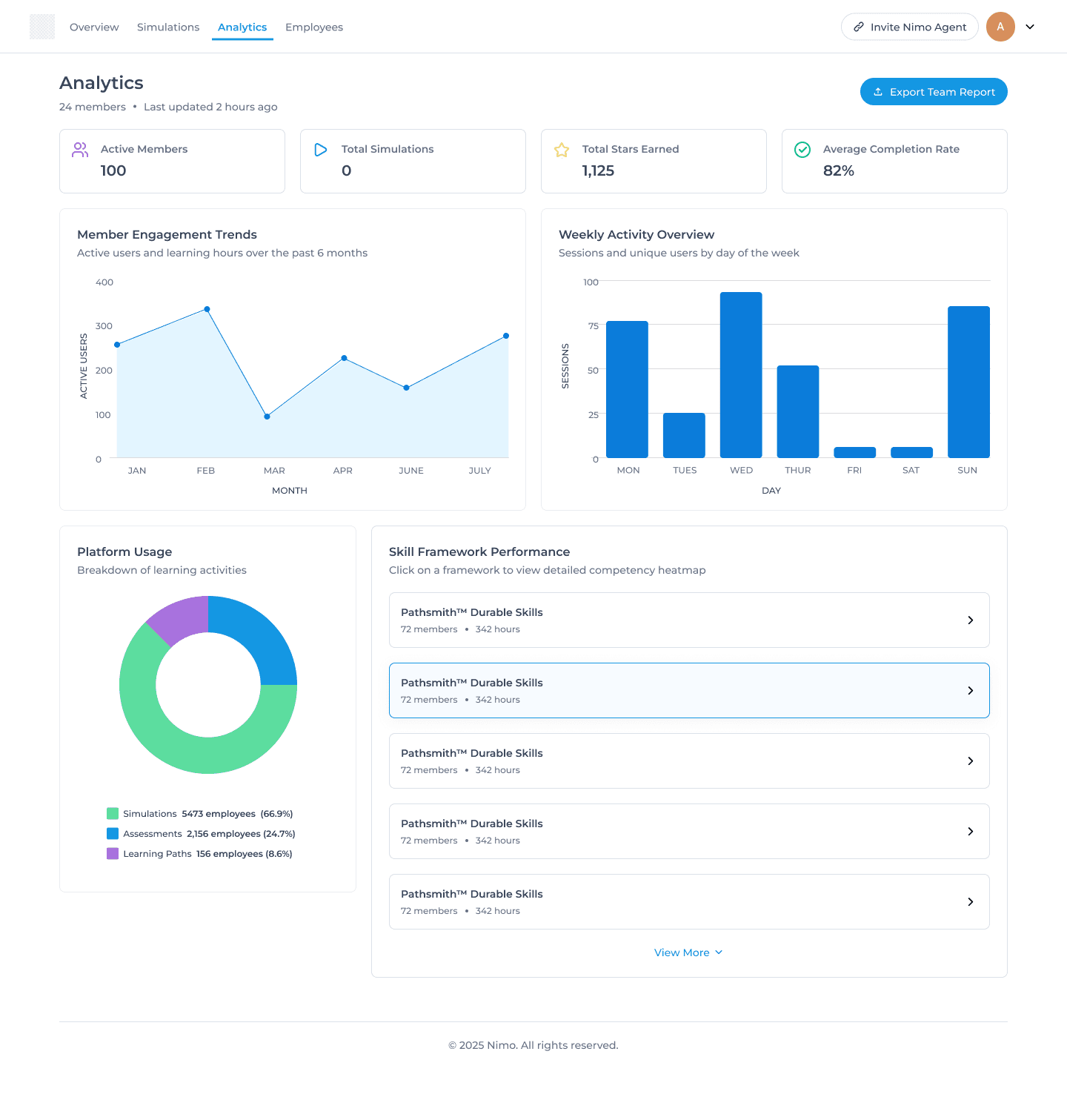
After validating the structure and communicating the layout and ideas to the team, I created the hi-fidelity wireframes. The main dashboard gives admins a high-level snapshot of team activity and performance.
Hero Metrics at the Top
Why: These four metrics answer the question an admin would have: "How is my team doing overall?"
Visual Clarity: Each metric gets an icon for quick recognition. You don't need to read the label to know what you're looking at.
Engagement Visualization
Member Engagement Trends: Active users and learning hours over 6 months. This shows whether the platform is gaining or losing traction.
Weekly Activity Overview: Sessions by day of week. Helps admins understand usage patterns and plan accordingly.
View 2: Skills Heatmap
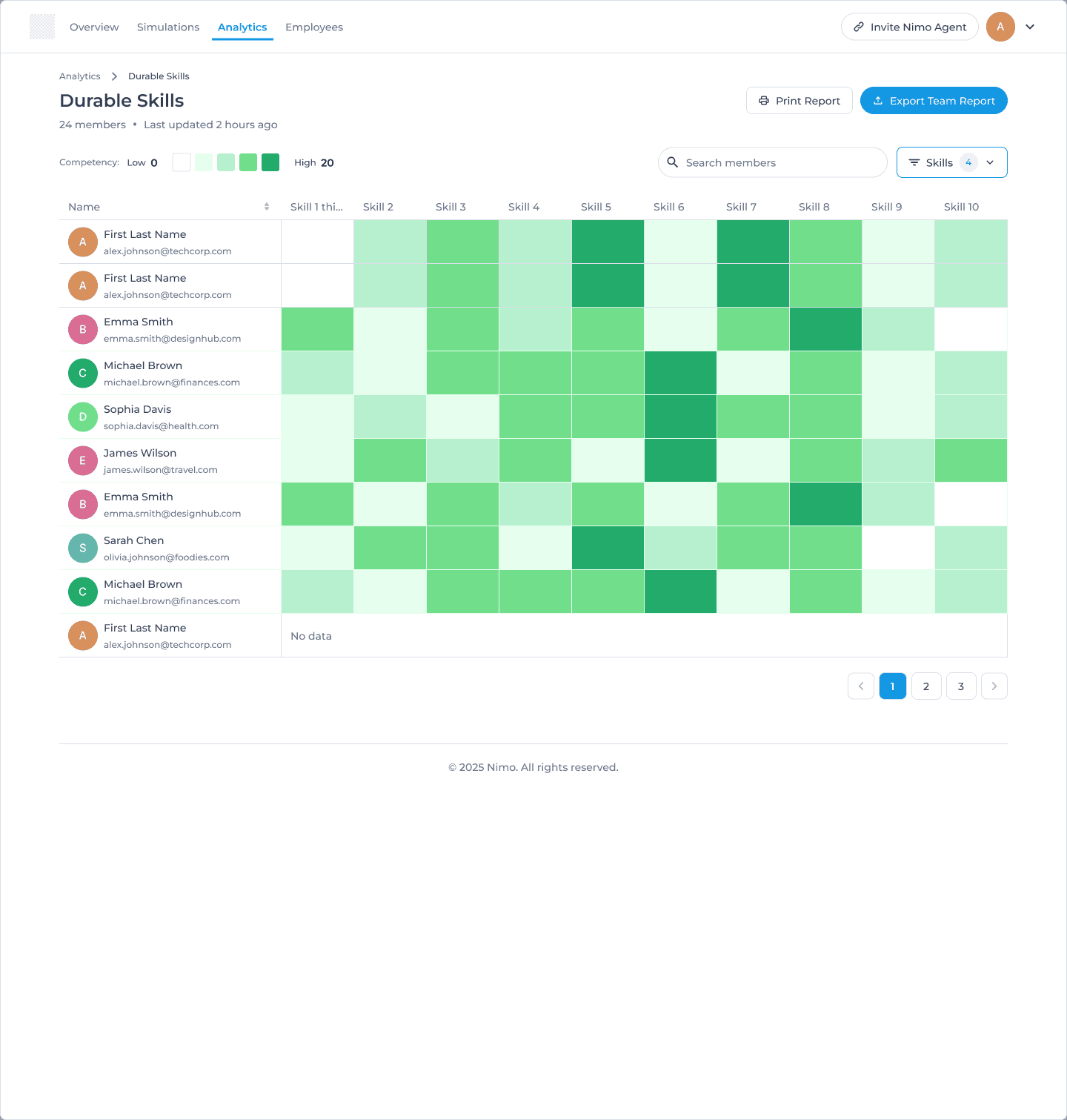
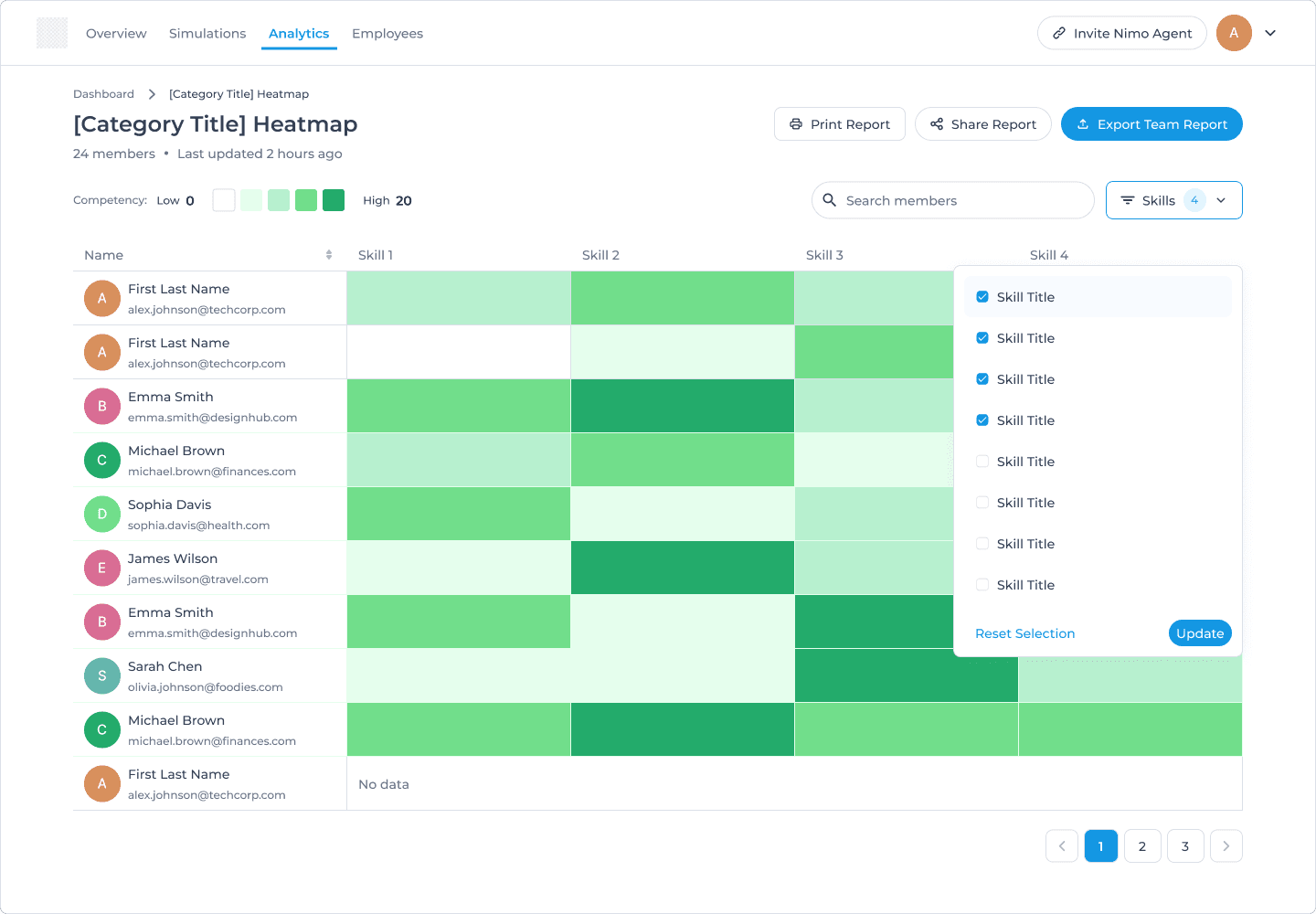
Each cell represents one person's competency in one skill. Color intensity shows proficiency level.
Why a heatmap?
Patterns emerge instantly (which skills have more light green = weak spots)
You can scan horizontally (how is one person doing across skills) or vertically (how is the team doing on one skill)
Compact - shows 240+ data points in one screen
Visual hierarchy: Darker = better performance. This matches intuitive understanding.
Design Principles That Guided Decisions
Design Principle #1
Hierarchy over density
Clarity matters. Overwhelmed users don't make decisions. Focused users do.
Design Principle #2
Color as signal, not decoration
Color should communicate meaning, not just look nice. In the heatmap, darker green = better performance.
Design Principle #3
Progressive disclosure
Each level reveals more detail but doesn't dump everything at once.
Design Principle #4
Scannable patterns over precise numbers
The heatmap prioritizes visual patterns (lots of light green in Skill 5 = team weakness) over precise scores.
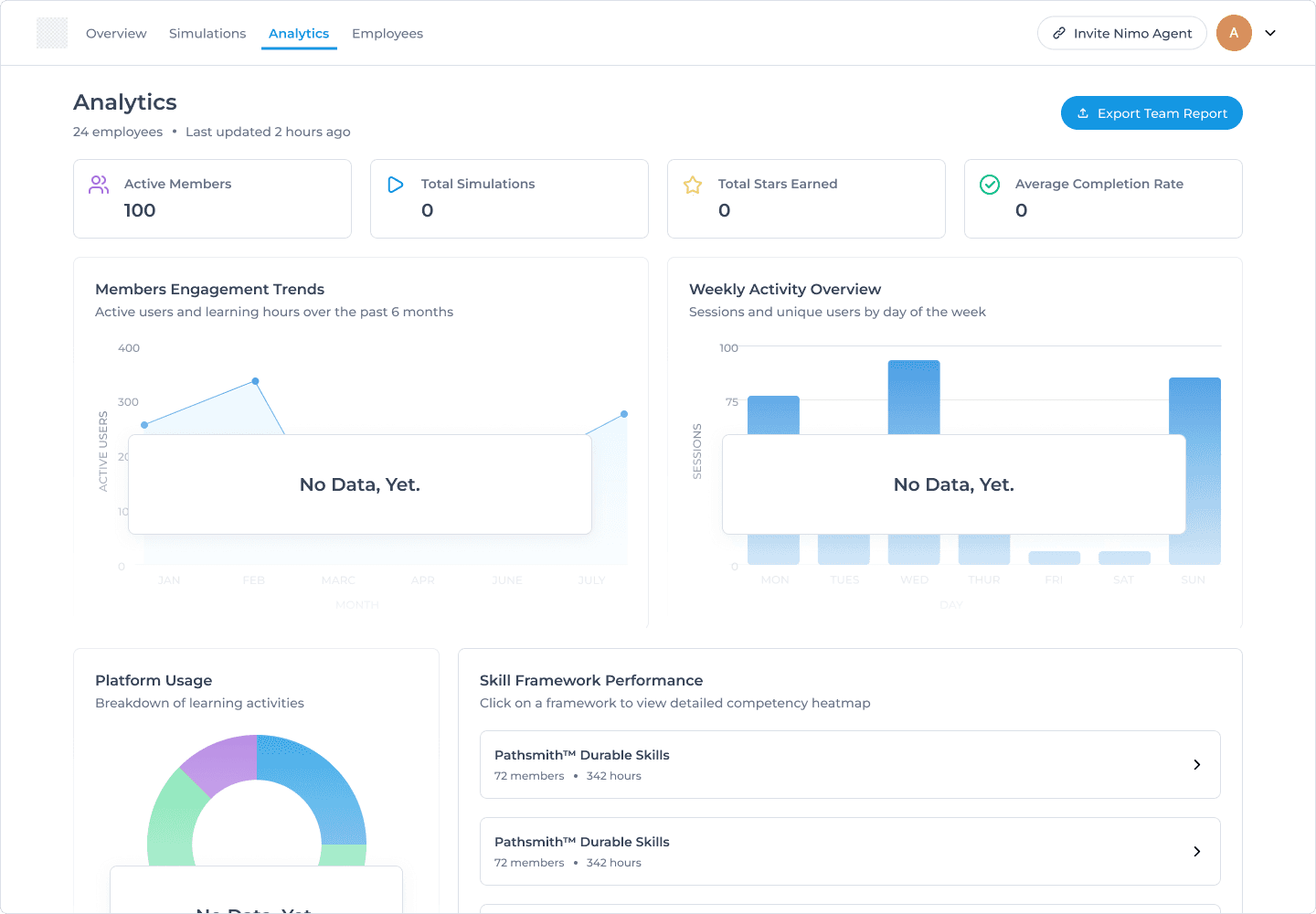
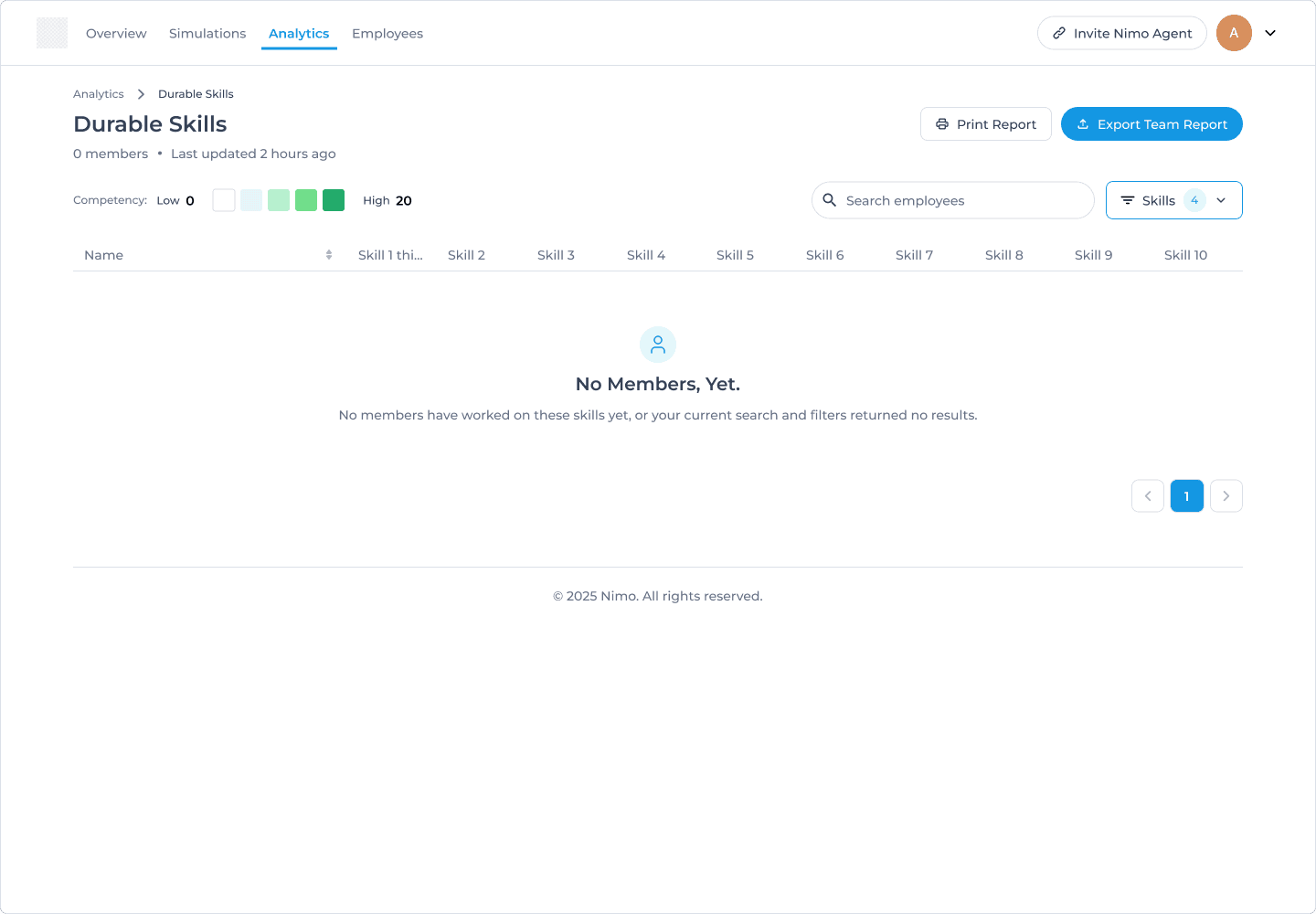
Designing for all data states
To ensure complete design coverage, I worked through various data scenarios including full states, empty states, or sparse data.
What made this challenging
Starting from zero. There was no existing dashboard, no established patterns to follow. I had to decide:
What metrics mattered most
How to organize information
What visualization types to use
How to balance overview vs. detail
My approach: I worked closely with the founder to understand what decisions admins needed to make, then designed views that supported those decisions.
The Outcome
Launched as Nimo's first analytics capability
Enabled data-driven training decisions for admins
Provided visibility into employee skills development across different skills competencies
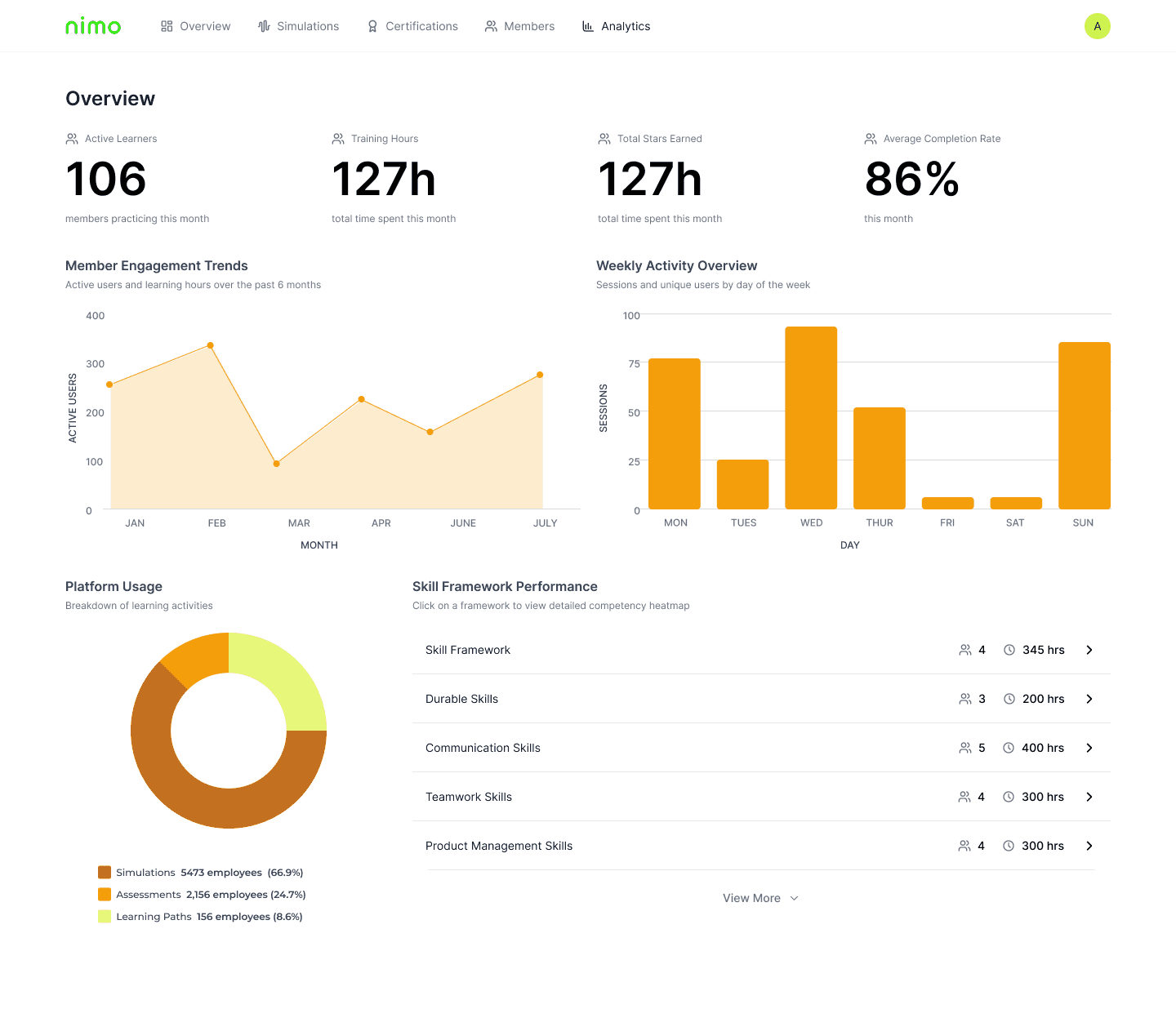
Redesigning after a brand refresh
Nimo went through a brand refresh in late 2025 to early 2026. Before I left, I created a new design system to reflect the new brand assets given to me.
I then iterated on our existing screens to implement the new designs.
Redesign for v2